
Homepage and Incoming Secrets
Dieser Inhalt ist in Ihrer Sprache noch nicht verfügbar.
When you set up a custom domain, the address — for example
secrets.yourbrand.com — has its own homepage. Two settings decide what that
homepage does: whether it is enabled at all, and which interactive experience it
offers when it is. The two experiences are the classic secret-creation form
(Homepage Secrets) and the incoming-secrets form (Incoming Secrets).
You manage both from your Domain Dashboard at any time. The settings are domain-specific, so each of your custom domains can behave differently.
Homepage Secrets
Section titled “Homepage Secrets”Homepage Secrets is the setting that controls whether visitors to your branded homepage can create and share secrets directly from your interface.
Allow public secrets
Section titled “Allow public secrets”On your Domain Dashboard you can configure the visibility of your branded homepage. Enabling this feature allows your clients, customers, or team members to create and share secrets directly from your branded interface.
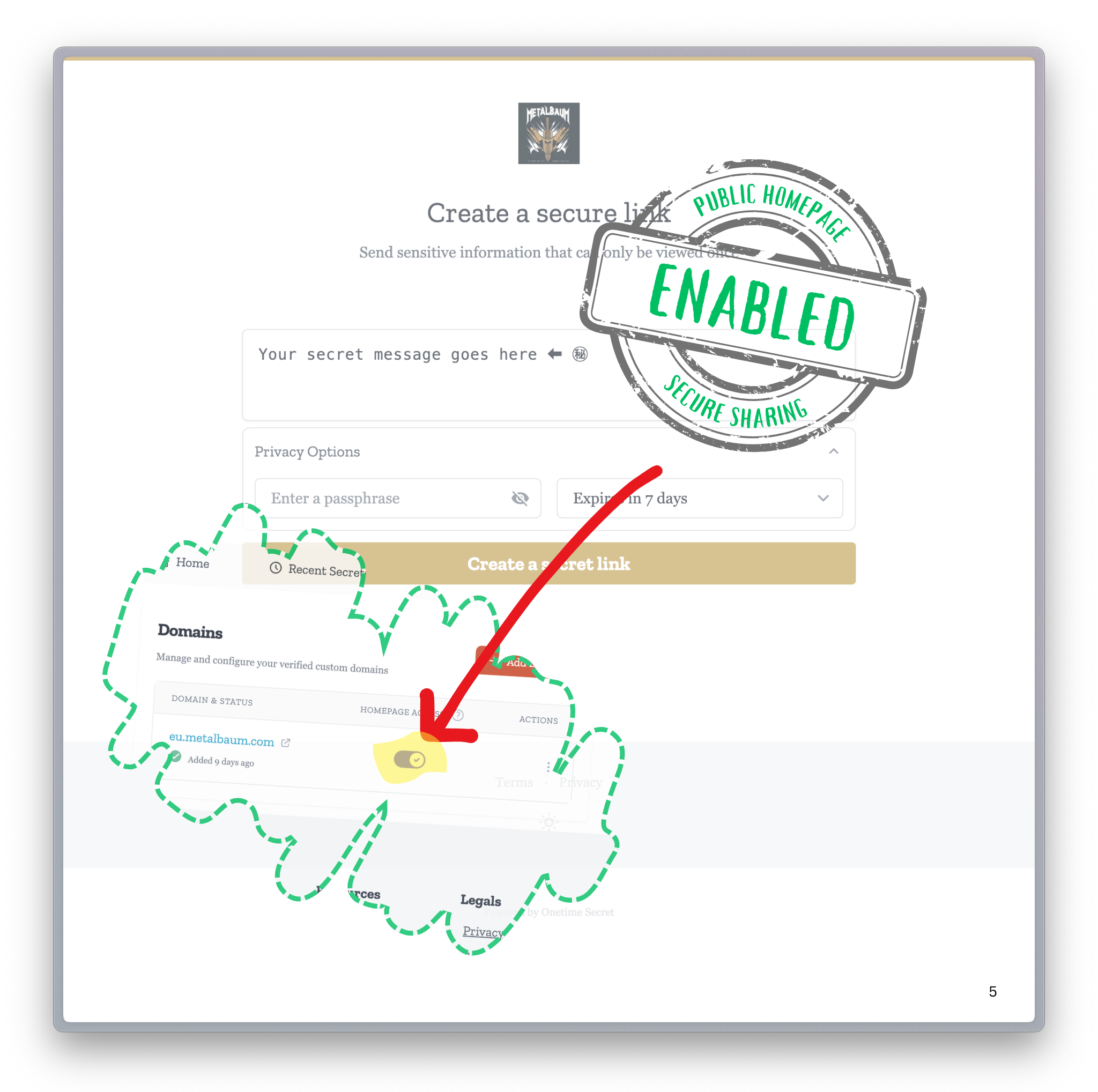
Disable homepage
Section titled “Disable homepage”If you would rather use your custom domain only for the secret links you generate yourself — and not present a public secret-creation page — you can disable the homepage entirely.
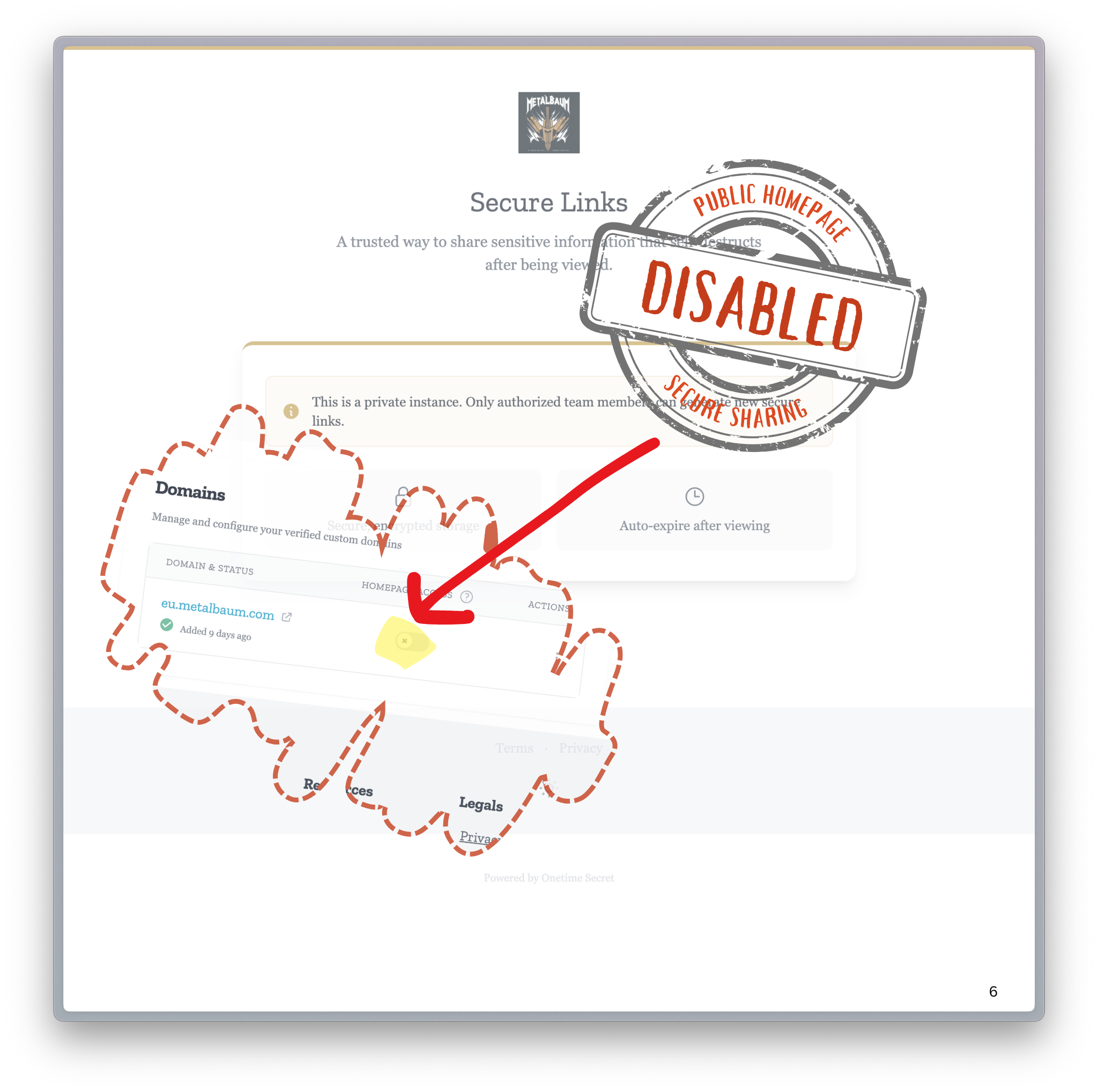
Important notes
Section titled “Important notes”- Changes process immediately upon saving.
- Allow up to 5 minutes for CDN cache refresh.
- Settings are domain-specific.
Incoming Secrets
Section titled “Incoming Secrets”Most of Onetime Secret is about sending a secret: you create a one-time link and share it with someone. Incoming Secrets flips that direction. It gives you a destination page on your custom domain where other people — customers, clients, vendors, or colleagues — can send a secret to you, without needing an account of their own.
This is useful whenever you need to collect sensitive information rather than distribute it, for example:
- A client sending you credentials, API keys, or account details during onboarding
- A customer submitting a document or value you need to handle securely
- A vendor returning a password or token you provisioned for them
How it works (overview)
Section titled “How it works (overview)”- You enable an incoming page for your verified custom domain.
- You configure who receives the submitted secrets (a preconfigured list of recipients).
- You share the page’s address — for example
secrets.yourbrand.com— with the sender. - The sender writes their secret and submits it; it is encrypted and delivered as a one-time link to your configured recipients.
Related features
Section titled “Related features”- Brand Guide — customize the logo and colors shown on this homepage.
- Access and Privacy — additional controls over what visitors can do.
- Custom Domains Overview — the foundation these features build on.
Questions or Need Support?
Section titled “Questions or Need Support?”We’re here to help.
- Email: support@onetimesecret.com
- Feedback form: https://onetimesecret.com/feedback