
Custom Domains
What are Custom Domains?
Section titled “What are Custom Domains?”Custom Domains allow you to use your own domain name for Onetime Secret links, instead of the default onetimesecret.com domain. This feature incorporates your brand identity into the secret sharing experience, enhancing trust and professionalism.
Key Benefits
Section titled “Key Benefits”- Brand Identity: Share secrets using your own domain name, reinforcing security and professionalism.
- Increased Trust: Recipients see a familiar domain, boosting their confidence in the shared information.
- Professional Appearance: Demonstrate a higher level of sophistication and commitment to security.
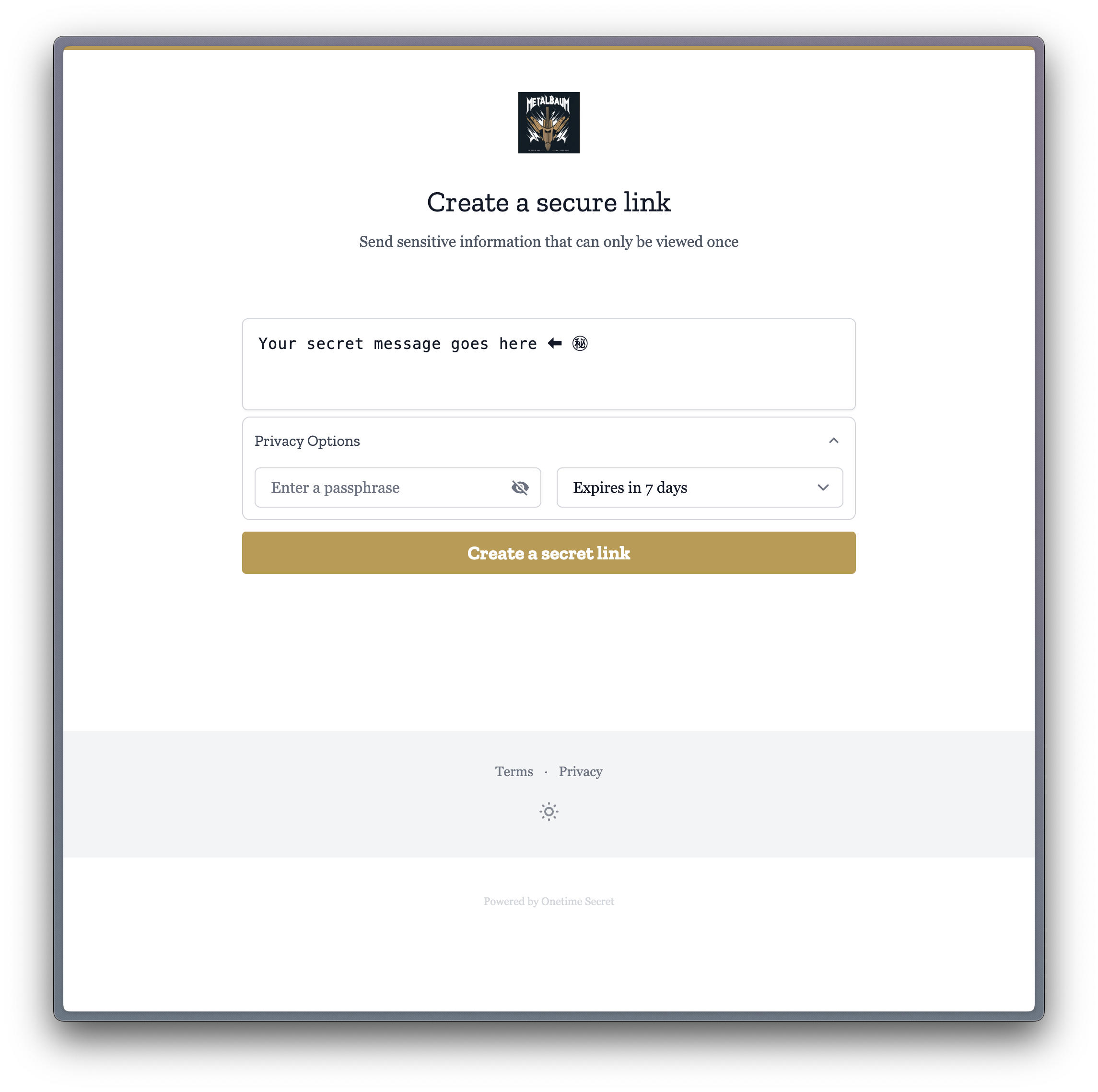
- Brand Customization: Upload custom logos and set brand colors to match your visual identity.
- Seamless Integration: Create a cohesive experience that aligns with your existing digital presence.
- Regional Flexibility: Choose from five data center regions (EU, UK, US, CA, NZ) to meet your data locality needs.
How It Works
Section titled “How It Works”Your Brand, Our Security
Section titled “Your Brand, Our Security”By leveraging Custom Domains, you’re not just sharing secrets; you’re reinforcing your brand, enhancing trust, and ensuring data locality compliance with every interaction. Upgrade to the Identity plan today to unlock this powerful feature and take your secret sharing to the next level.
The setup path
Section titled “The setup path”- You register a domain or use one you already own.
- Choose your preferred data center region (EU, UK, US, CA, or NZ).
- Configure your domain’s DNS settings to point to Onetime Secret’s servers in your chosen region.
- Set up the custom domain in your Onetime Secret account settings.
- Once verified, your secret links will use your custom domain.
- Customize your domain’s appearance with logos and brand colors through the admin interface.
Troubleshooting common setup issues
Section titled “Troubleshooting common setup issues”The full validation lifecycle, what each domain status means, and the complete troubleshooting list live on DNS Validation. The most common causes are:
- DNS Propagation: Changes may take up to 24–48 hours to fully propagate. Be patient and try again later if verification fails initially.
- Incorrect DNS Records: Double-check your DNS settings against the provided instructions for your chosen region.
- SSL Certificate Issues: Contact our support team if you encounter any SSL-related problems.
- Domain Ownership Verification: Ensure you have full control over the domain you’re trying to set up.
- Region Selection: If you’re unsure about which region to choose, consult our Where your data lives guide or contact our support team.
Getting Started
Section titled “Getting Started”To set up a Custom Domain:
- Log in to your Onetime Secret account.
- Navigate to Account Settings > Custom Domains.
- Enter the domain you wish to use and click “Add Domain”.
- Select your preferred data center region (EU, UK, US, CA, or NZ).
- Follow the step-by-step instructions provided for DNS configuration.
- Wait for the domain to be verified. If available, click the “Verify” button to expedite the process. You may need to refresh the page.
For detailed instructions, including how to choose the right region, please refer to our Custom Domain Setup Guide.
Brand Customization
Section titled “Brand Customization”Custom Domain users can personalize their secret sharing interface:
- Upload company logo (PNG/JPG, max 1MB)
- Set custom brand colors using hex codes
- Configure homepage visibility settings
- Preview changes in real-time
- Enable/disable public secret creation
For detailed branding instructions, see our Brand Guide.
Use Cases
Section titled “Use Cases”Secret Links with Custom Domains provide a high-degree of security for sensitive data sharing while maintaining brand consistency and continuity. Here are some ways that our customers use our service.
1. Onboarding or invoicing clients
Section titled “1. Onboarding or invoicing clients”When requesting sensitive information from a client, such as financial details or credit card information, ask them to share it by creating a secret link at secrets.example.com. This ensures that the information is shared securely and is only accessible to the intended recipient.
Benefit: By using a custom domain, you can reinforce your brand identity and build trust with your clients. The client will recognize the domain and feel more confident sharing sensitive information.
2. DevOps Credentials
Section titled “2. DevOps Credentials”When managing deployments across multiple environments and teams, share temporary access credentials through secure.example.com. Development teams can safely exchange database passwords, API tokens, and configuration files that automatically expire after first use, preventing these sensitive details from being exposed in code repositories, chat logs, or email threads.
Benefit: By integrating your custom domain with automated CI/CD pipelines, you maintain security best practices while keeping credential management seamless within your development workflow. Devs can trust that credentials come from an authorized source, and automated rotation ensures that exposed credentials cannot be reused.
3. Employee Onboarding
Section titled “3. Employee Onboarding”When bringing new team members aboard, streamline their first-day access by sending temporary login credentials through access.example.com. HR and IT teams can prepare individualized welcome packages containing initial passwords, VPN configurations, and sensitive documentation links that expire once accessed, ensuring that credentials don’t linger in email inboxes or get accidentally forwarded.
Benefit: By using your branded domain for credential distribution, you create a professional onboarding experience while establishing healthy security practices. New employees can confidently access resources knowing they’re coming from a trusted company source.
4. Private HR Communications
Section titled “4. Private HR Communications”When handling sensitive employee information such as salary details, tax identification numbers, or benefits enrollment codes, share confidential data through hrinfo.example.com. HR teams can send time-sensitive links to individual employees containing their personal information as secure text, ensuring that sensitive details expire after access and remain protected in compliance with data privacy regulations.
Benefit: By utilizing your company’s branded domain for confidential HR communications, you maintain professional standards while meeting compliance requirements for handling personally identifiable information. Employees can securely access their sensitive information through a trusted channel that reinforces your commitment to data protection.
5. Temporary Staff Access
Section titled “5. Temporary Staff Access”When managing rotating clinical staff, residents, or temporary personnel, securely communicate initial login credentials through tempaccess.example.com. Administrative teams can create time-sensitive links containing system usernames and temporary passwords, where the secure message containing these credentials expires after first viewing.
Note: When implementing this solution, ensure your complete security stack maintains compliance with relevant healthcare regulations such as HIPAA or GDPR. OneTimeSecret should be used only for the secure communication of initial access credentials, while actual system access durations and permissions should be managed through your organization’s access control systems. While the service provides more security than email for sharing sensitive information like PHI, it should be used as a stopgap rather than a permanent solution for such data - consider implementing dedicated HIPAA-compliant secure messaging systems for regular PHI communication.
The ability to generate secure, time-bound links through your branded domain provides additional security without compromising efficiency. Each use case demonstrates how Custom Domains enhance both security posture and professional presence.
Important Considerations
Section titled “Important Considerations”- Custom Domains are a premium feature available with the Identity plan.
- You are responsible for maintaining and renewing your domain registration.
- Proper SSL/TLS configuration is crucial for security (handled automatically by Onetime Secret).
- Ensure your chosen domain complies with your organization’s branding guidelines.
- Consider data protection regulations when choosing your data center region.
To learn about best practices for using Custom Domains securely, check out our Security Best Practices guide.